Hey everyone, Paper Cross Cutting Machine
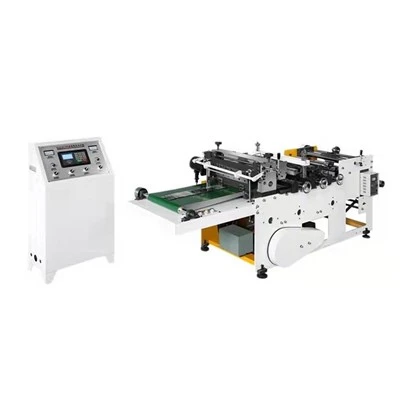
If you’ve ever shopped around for paper cross cutters, you know there’s a lot to sift through. As someone who’s been supplying these machines for years, I’ve seen it all—small business owners pulling their hair over jammed cutters, print shop managers staying late to fix wonky cuts, and even startup designers wasting whole batches of paper because their equipment just can’t keep up. Today, I want to break down the most common problems we run into with paper cross cutters, not as a sales pitch (well, not yet) but as someone who’s been in the thick of this with customers for ages. No fancy jargon, just real stuff that actually happens.
First up, let’s talk about that annoying jam issue—like, every other job jam. I can’t tell you how many times a customer has called me at 3 PM on a Wednesday, panicking because they’re mid-print run and their cross cutter just swallowed a whole stack of cardstock. Wait, not just jammed—clogged. The problem here usually isn’t the cutter itself, it’s the gap between the rotating blades and the bottom anvil. Cheap cutters come with a gap that’s either too big or too small, and when you’re working with different paper weights—like thin 20lb copy one day and thick 110lb cardstock the next— that gap doesn’t adjust properly. So thin paper slips into the gap and gets stuck, or thick paper can’t feed through without bunching up. Another jam culprit? Overloading the feed tray. A lot of new users think, “Hey, it says it holds 500 sheets, so I’ll just dump all 500 in!” But that weight puts strain on the feed rollers, which start slipping instead of pulling paper evenly, leading to misfeeds and jams. I’ve had a customer with a tiny home print shop go through three packs of paper in one afternoon just because she was overloading her cutter’s tray.
Next, there’s the cut accuracy issue that creeps up over time. Like, you’ll cut a stack of paper, measure it, and realize one side is an eighth of an inch shorter or longer than the other. It sounds tiny, but when you’re cutting brochures that need to line up with their covers, or business cards that have to fit in standard sleeves, that eighth of an inch is a disaster. The main reason this happens with budget cross cutters is poor blade alignment and flimsy construction. Cheaper machines don’t have a solid frame—they’re made of thin metal or even plastic on some parts—so when you pull the cutter lever or press the button, the whole frame twists a little. That twist makes the blades shift, and suddenly your cuts are off. Another thing: dull blades. A lot of users forget that cross cutter blades don’t last forever. They’ll go months without sharpening, and instead of slicing clean through paper, they tear it. Those ragged edges mean you have to trim them again, wasting paper and time. I had a sign shop customer last month who was re-cutting 200 signs a week because her dull blades were leaving frayed edges—she had no idea blades were a maintenance item, not a one-and-done part.
Then there’s the feed inconsistency. This is the one that drives people nuts because it’s not a total failure—just enough of a problem to mess up every other job. One sheet feeds perfectly, the next is off by a quarter inch, then the one after that is lopsided. Feed rollers are usually the culprit here. Over time, paper dust and ink buildup get on the rollers, making them slippery. So they don’t grip the paper evenly, pulling some sheets further than others. On older or budget machines, the rollers are also too soft, so they flatten out after a few months, losing their grip entirely. I once worked with a marketing agency that was printing event flyers, and half the stack had misaligned headers because their cutter’s rollers were worn down. They thought it was the software settings on their printer, but it was the feed rollers in the cross cutter—easy fix once we adjusted them, but they’d been dealing with it for six months.
Wait, let’s not forget about the safety side, which is a big one I don’t see talked about enough. A lot of budget cross cutters are cheaply made, so the safety guards are flimsy or missing altogether. I’ve had customers tell me they had to cut paper with their hands close to the blade because the guard kept falling off. That’s a major hazard. Even some mid-range cutters have safety features that are poorly designed—like a sensor that only works if the paper is perfectly aligned, which it rarely is. One small business owner I know ended up with a small cut on their finger because their cutter’s sensor didn’t trigger when their hand was close while adjusting a jam. It’s not just about following rules—bad safety design leads to real injuries, and that’s the last thing anyone needs when they’re trying to run a business.
Oh, and maintenance headaches! I swear, half the problems with paper cross cutters come from bad maintenance design. Budget models have parts that are impossible to reach, so if something breaks or needs cleaning, you have to take the whole thing apart with special tools. I’ve had a customer who spent two hours on a Saturday trying to clean the blade gap on a cheap cutter—something that takes 15 minutes on the models we supply. Also, a lot of cheap cutters don’t come with clear maintenance instructions. It’s like the manual was written for someone who knows what a “blade anvil” is, not a guy who just bought a cutter to make wedding invitations. So users skip maintenance, which leads to all those jam and accuracy issues we talked about earlier.
Another common one: handling different paper types. If you’re only cutting plain copy paper, you might be fine with a basic cutter. But if you work with cardstock, glossy photo paper, or even thin tissue paper, those basic cutters struggle. The blade pressure isn’t adjustable, so too little pressure and the blade tears cardstock, too much pressure and it cuts through the feed tray for glossy paper. I had a photographer customer last year who was cutting glossy print sheets, and every third sheet had a hole poked through it from too much blade pressure. She tried adjusting settings, but her cutter didn’t have that option—so she was out hundreds of dollars in wasted photo paper before she switched to a model with adjustable pressure.
Wait, let’s circle back to the accuracy thing because it’s such a big one. It’s not just about blade alignment—some cross cutters have a loose cutting guide. The guide that lines up your paper before cutting is either made of cheap plastic that warps over time, or it slides around if you bump the machine. So when you load a stack of paper, the guide shifts, and you end up with cuts that are crooked across the whole stack. I once had a bookstore customer who was cutting shelf talkers, and they were so crooked that when she lined them up on the shelf, half of them were sticking out at weird angles. She thought she was bad at aligning paper, but it was the flimsy plastic guide on her old cutter.
Now, I want to be clear—this isn’t to rag on every paper cross cutter out there. Some budget models are fine for very small, occasional use, like a home user who cuts a few sheets a week. But for anyone running a business—print shops, marketing agencies, sign shops, even small publishers—these common problems add up fast. They cost you time, which is money. They cost you paper, which is money. And if you’re dealing with safety issues, that’s just stress you don’t need.
As someone who supplies cross cutting machines, I’ve seen these problems first-hand with customers, and that’s why we focus on building machines that solve these exact issues. We use solid steel frames instead of thin metal, so no twisting and shifting. We have adjustable blade gaps and pressure, so you can handle any paper weight from thin tissue to thick cardstock. Our feed rollers are made of durable, non-slip material that’s easy to clean, so no more jams from paper dust. And all our models have proper safety guards that are easy to use, not flimsy add-ons. Plus, our maintenance is simple—no taking the whole thing apart, just a few quick steps with basic tools, and we send clear, plain-language instructions to everyone.
If you’re tired of dealing with jams that throw off your whole day, cuts that are off by a fraction, or feed rollers that wear out way too fast, we can help. We don’t do pushy sales stuff—we listen to what you need, whether you’re a small home business or a mid-sized print shop, and point you toward the right cutter for your jobs. We also offer after-sale support, so if you run into a problem down the line, you don’t have to wait hours or days for someone to help. You can reach out, we’ll walk you through it, or even send a tech if it’s something bigger.
At the end of the day, a paper cross cutter is a workhorse for your business. If it’s giving you trouble, it’s holding you back from finishing jobs on time, meeting customer expectations, and making money. The good news is that most of these common problems are solvable with a machine that’s built to handle real, daily use, not just occasional hobby projects.
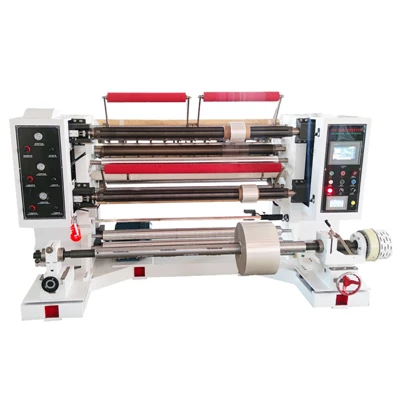
If you’re ready to stop dealing with jammed cutters, wonky cuts, and endless maintenance headaches, let’s chat. We can talk about your specific needs—what kind of paper you cut, how many sheets a day, your budget—and find a solution that works for you. No pressure, no complicated sales pitches, just real help from someone who’s been in this field for years.
Slitting Machine References
- Printing Industries of America. (2022). "Machine Maintenance Best Practices for Commercial Print Facilities." PIA Technical Resources.
- Small Business Administration. (2021). "Safety Guidelines for Office and Commercial Equipment: Paper Cutting Machines." SBA Business Safety Series.
- International Association of Printing House Craftsmen. (2023). "Selecting and Maintaining Paper Cross Cutters for High-Volume Operations." ICPC Industry Report.
- Paper, Film & Foil Converter. (2022). "Challenges in Precision Paper Cutting and Solutions for Consistent Results." PFFC Technical Journal.
Wenzhou Sanhui Machinery Manufacturing Co., Ltd.
Wenzhou Sanhui Machinery Manufacturing Co., Ltd. is one of the most professional paper cross cutting machine manufacturers and suppliers in China. We have world-leading production equipment and strong manufacturing capabilities. Please feel free to wholesale advanced paper cross cutting machine made in China here from our factory. Customized orders are welcome.
Address: B17-8, Mechanical Industry Park, Wanquan Light Industry Production Base, Wanquan Town, Pingyang County, Wenzhou City, Zhejiang Province
E-mail: sanhui.slittingmachine@gmail.com
WebSite: https://www.sanhuislittingmachine.com/
